
Never Miss a Call
When you can't pick up, callers go to the next business. Neural Talk answers, books, and texts you what was said.
Getting your voice agent approved
- You sign up.
- You pick your plan.
- You fill out your CRM details for your business.
- We submit your registration on your behalf.
- Carriers review it, and your agent goes live.
- We connect your agent to your knowledge base.
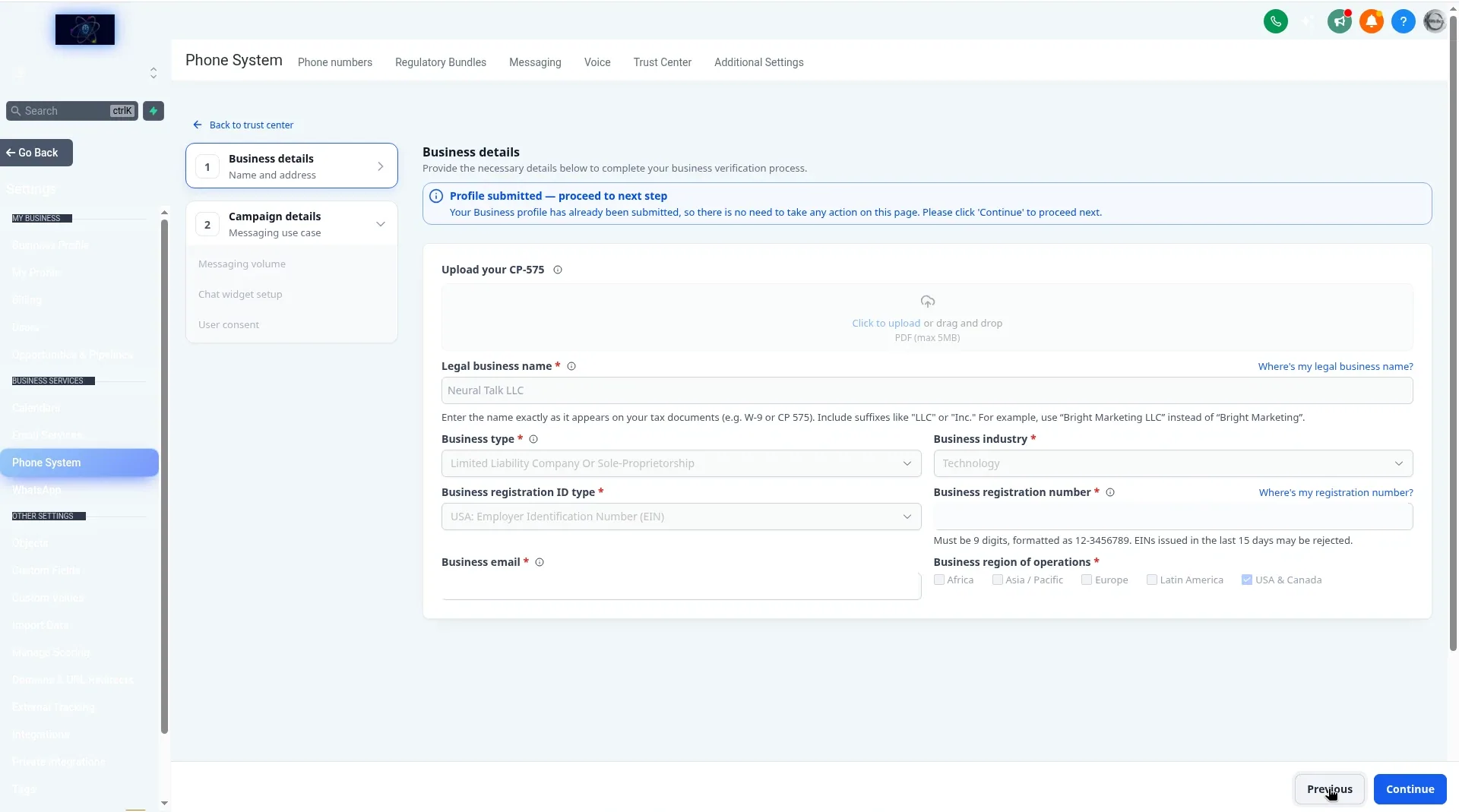
We have a quick consultation to set up your knowledge base.
What it does
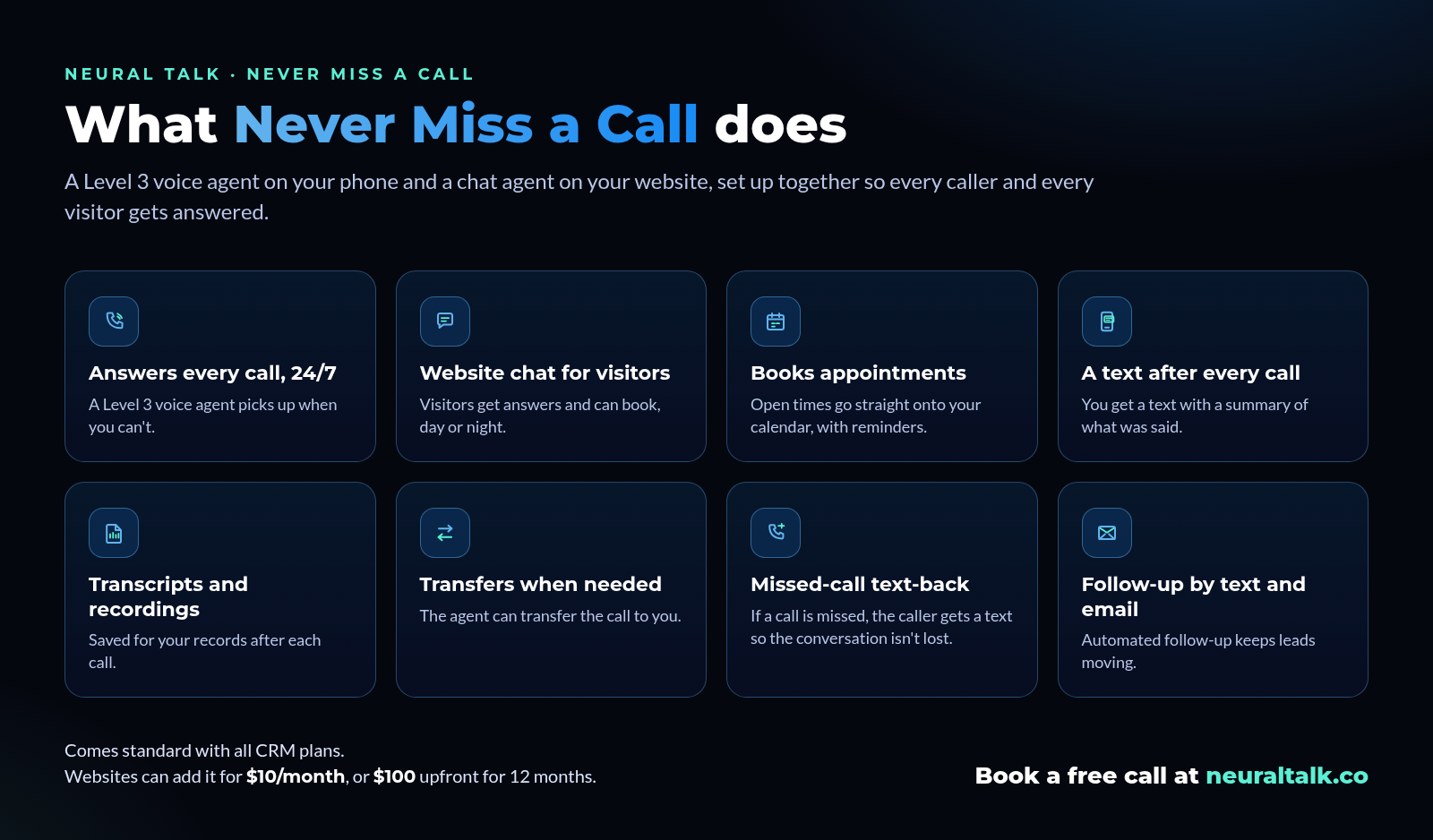
Never Miss a Call is the Level 3 voice agent on your phone and the chat agent on your website, set up together so every caller and every visitor gets answered.
Answers every call, 24/7
A Level 3 voice agent picks up when you can't, talks with the caller, and answers from your business knowledge.
Website chat for visitors
A chat agent on your site answers visitors, captures leads, and can guide them to book, day or night.
Books appointments onto your calendar
Open times are booked straight onto your calendar, with reminders.
A text after every call
You get a text with a summary of what was said.
Call transcripts and recordings
Transcripts and recordings are saved for your records.
Transfers when needed
The agent can transfer the call to you.
Missed-call text-back
If a call is missed, the caller gets a text so the conversation isn't lost.
Follow-up by text and email
Automated follow-up by text and email keeps leads moving.
See how it works
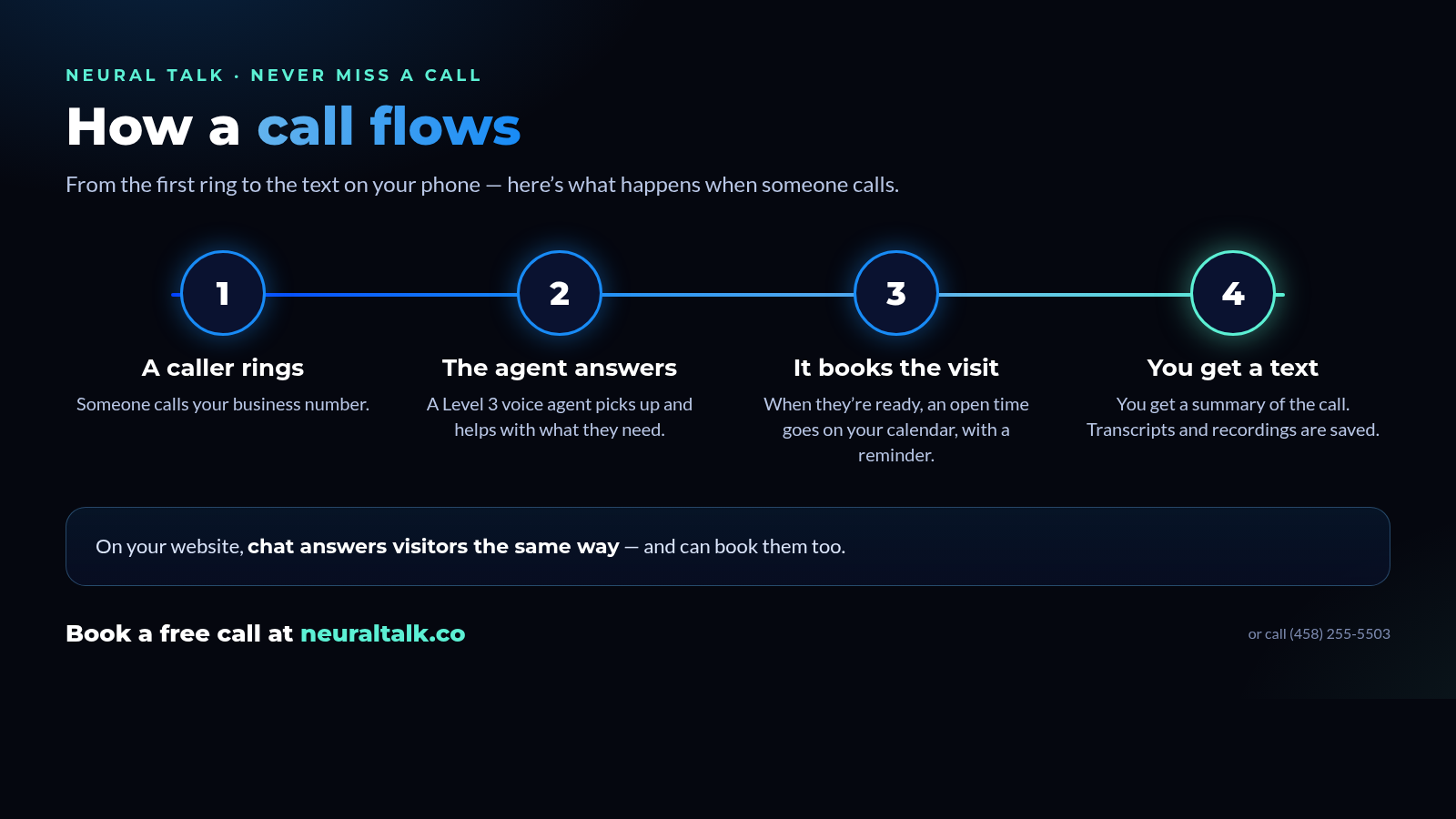
How a call flows
- A caller rings. Someone calls your business number.
- The agent answers. A Level 3 voice agent picks up, talks with them, and helps with what they need.
- It books the appointment. When they're ready, the agent books an open time on your calendar and sends a reminder.
- You get a text. You get a summary of the call. Transcripts and recordings are saved for your records.
On your website, chat answers visitors the same way — and can book them too.
What you'll fill out in your CRM
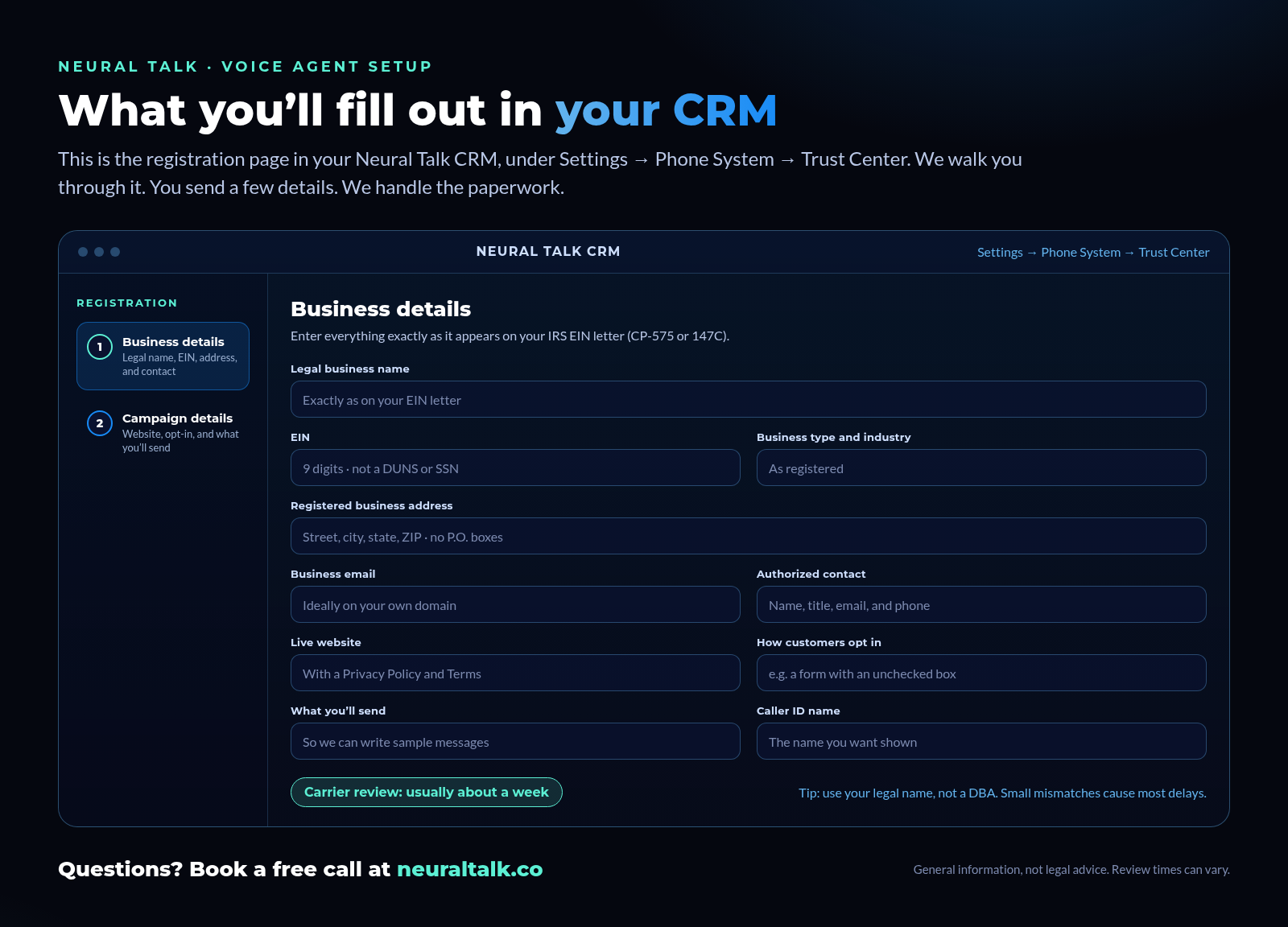
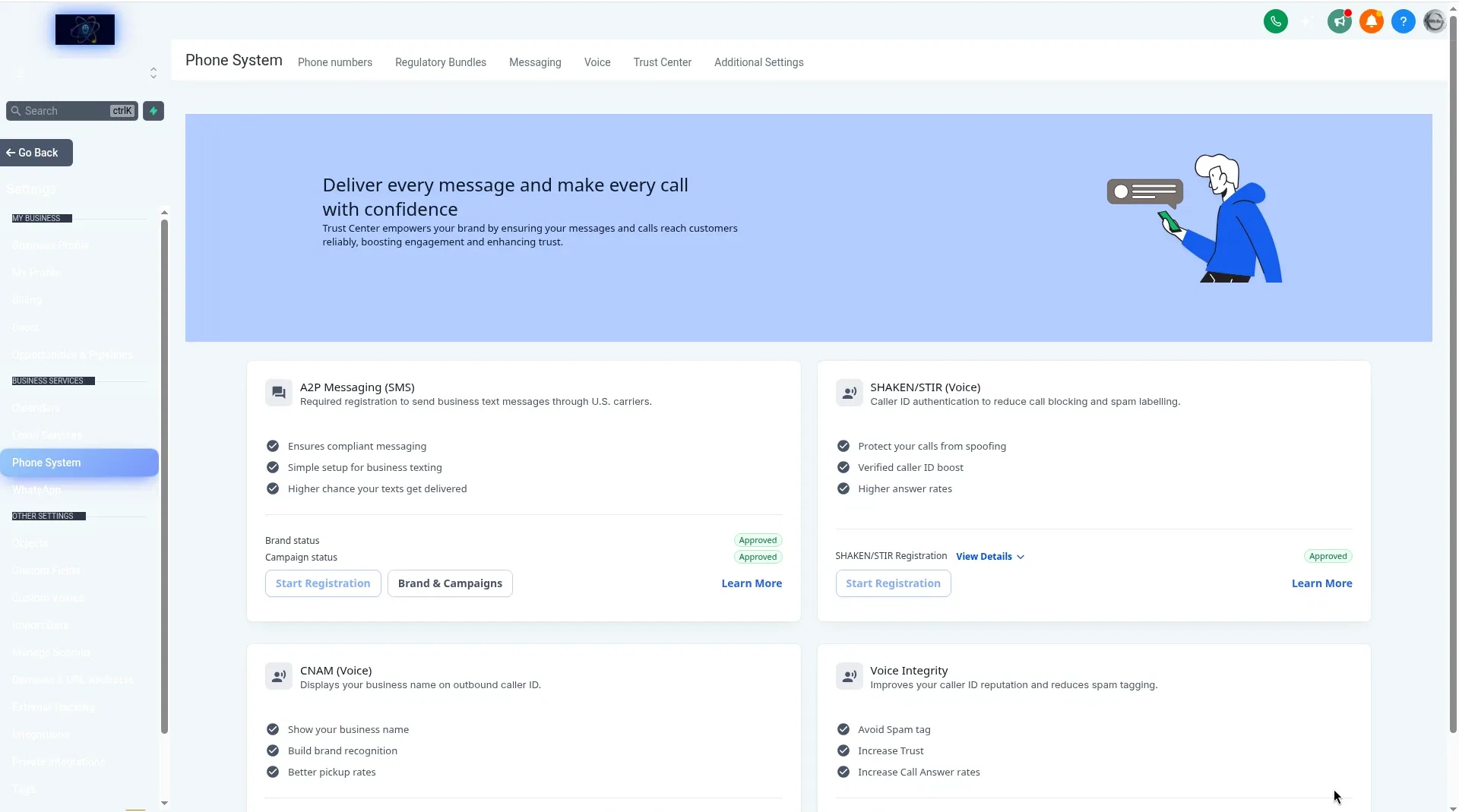
This is the registration page in your Neural Talk CRM, under Settings → Phone System → Trust Center. We walk you through it. Have these ready:
- Legal business name, exactly as on your IRS EIN letter (CP-575 or 147C)
- Your EIN (not a DUNS number or SSN)
- Business type and industry
- Registered business address (no P.O. boxes)
- A live website with a Privacy Policy and Terms & Conditions
- An authorized contact: name, title, email and phone
- A business email, ideally on your own domain
- How customers opt in (for example, a website form with an unchecked consent box)
- What you'll send, so we can write sample messages
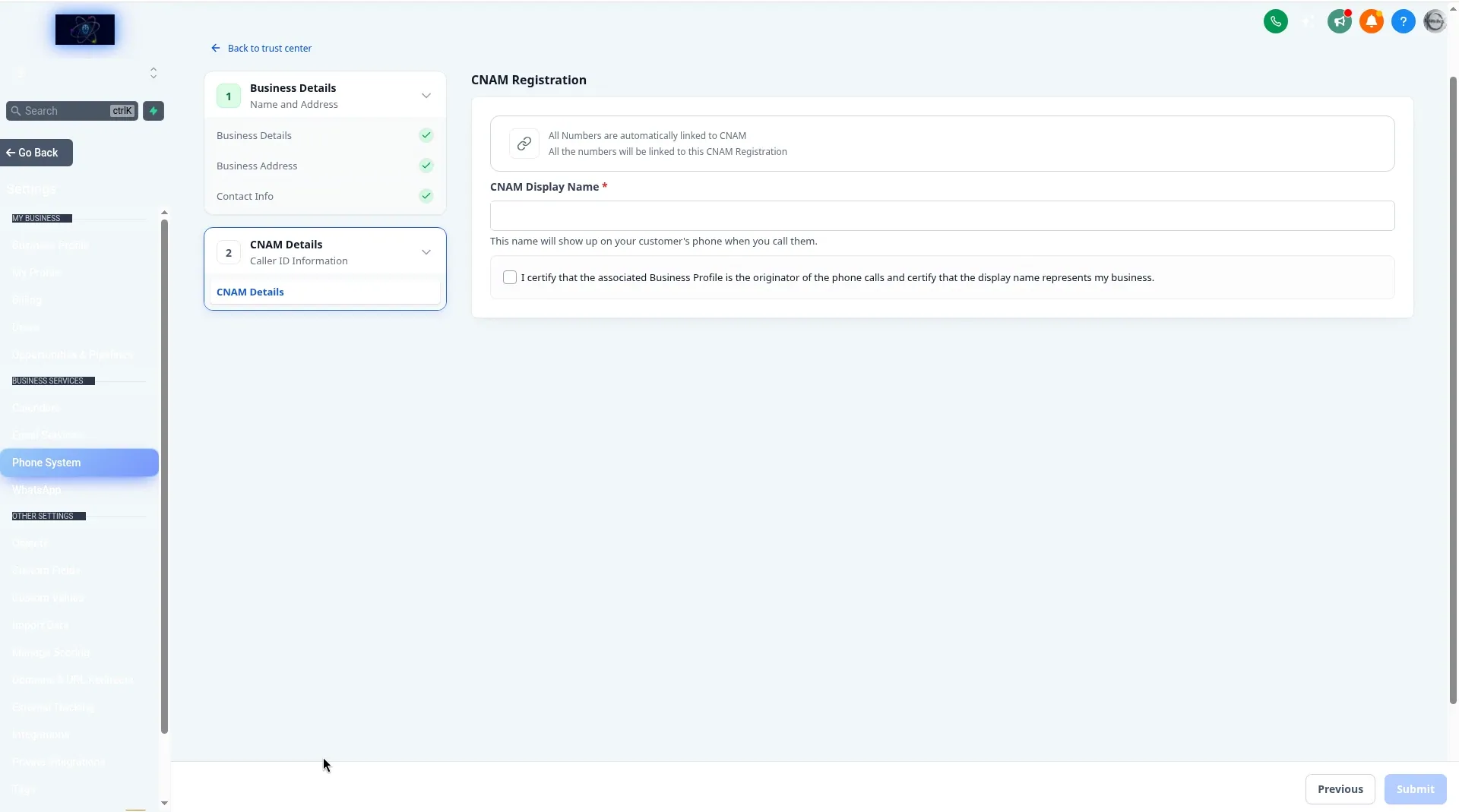
- The business name you want shown on caller ID
Tip: Use your legal name, not a DBA or a nickname. Small mismatches are the most common reason for delays.
Trust Center
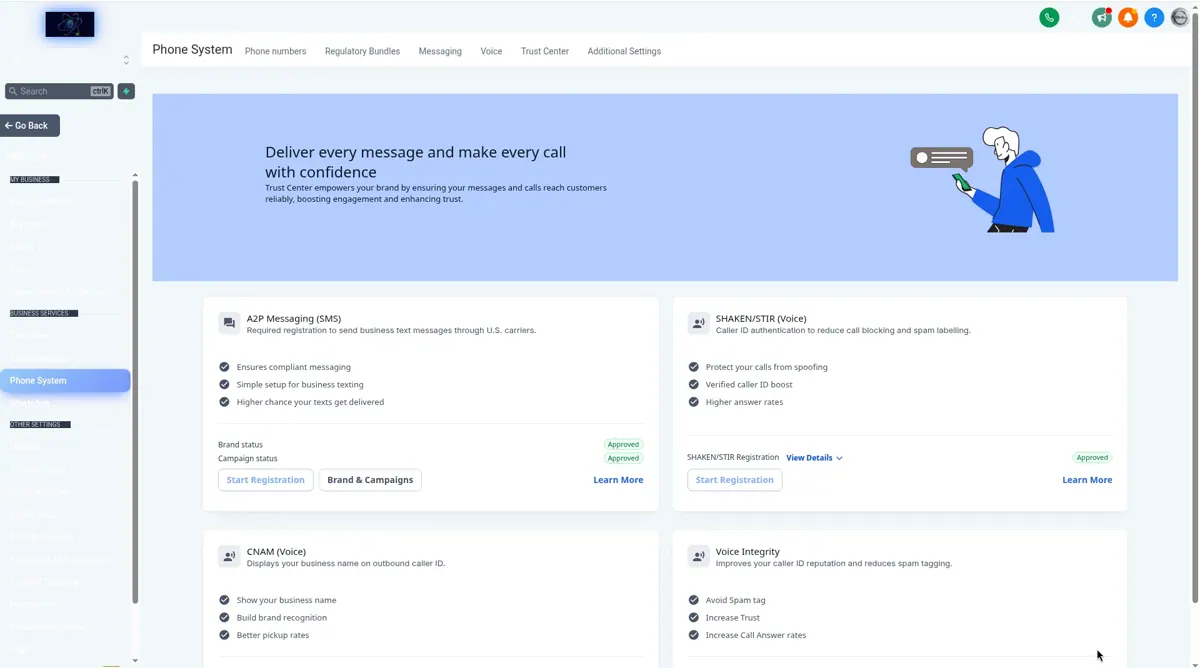
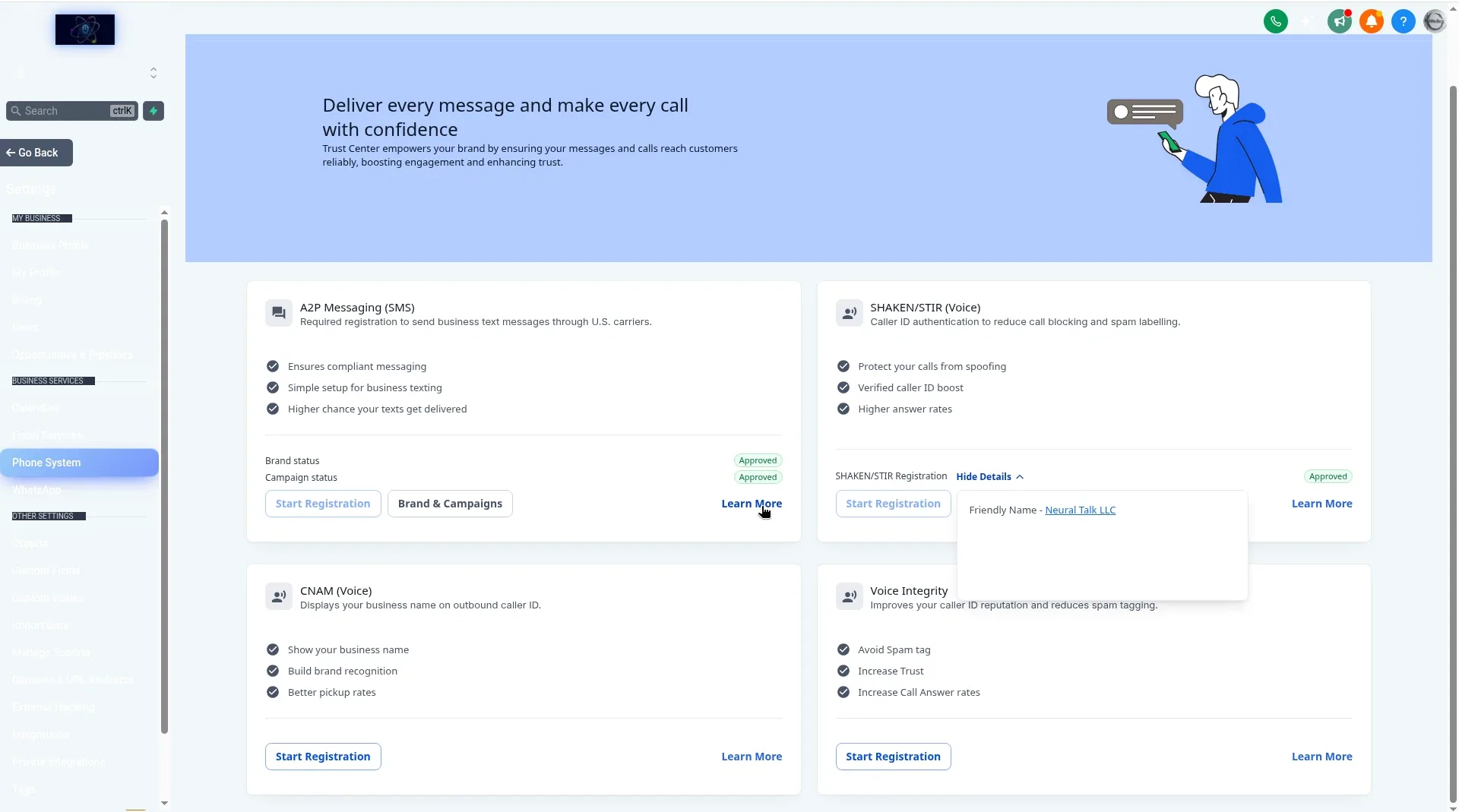
The Trust Center, where every phone and texting registration for your business lives.
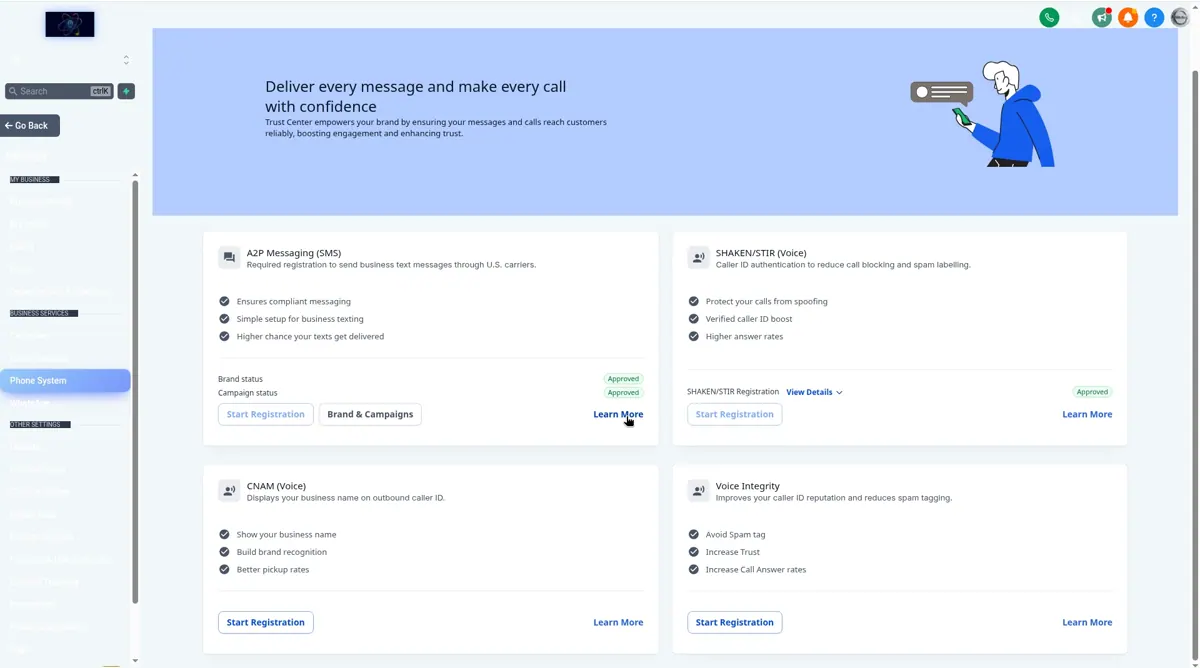
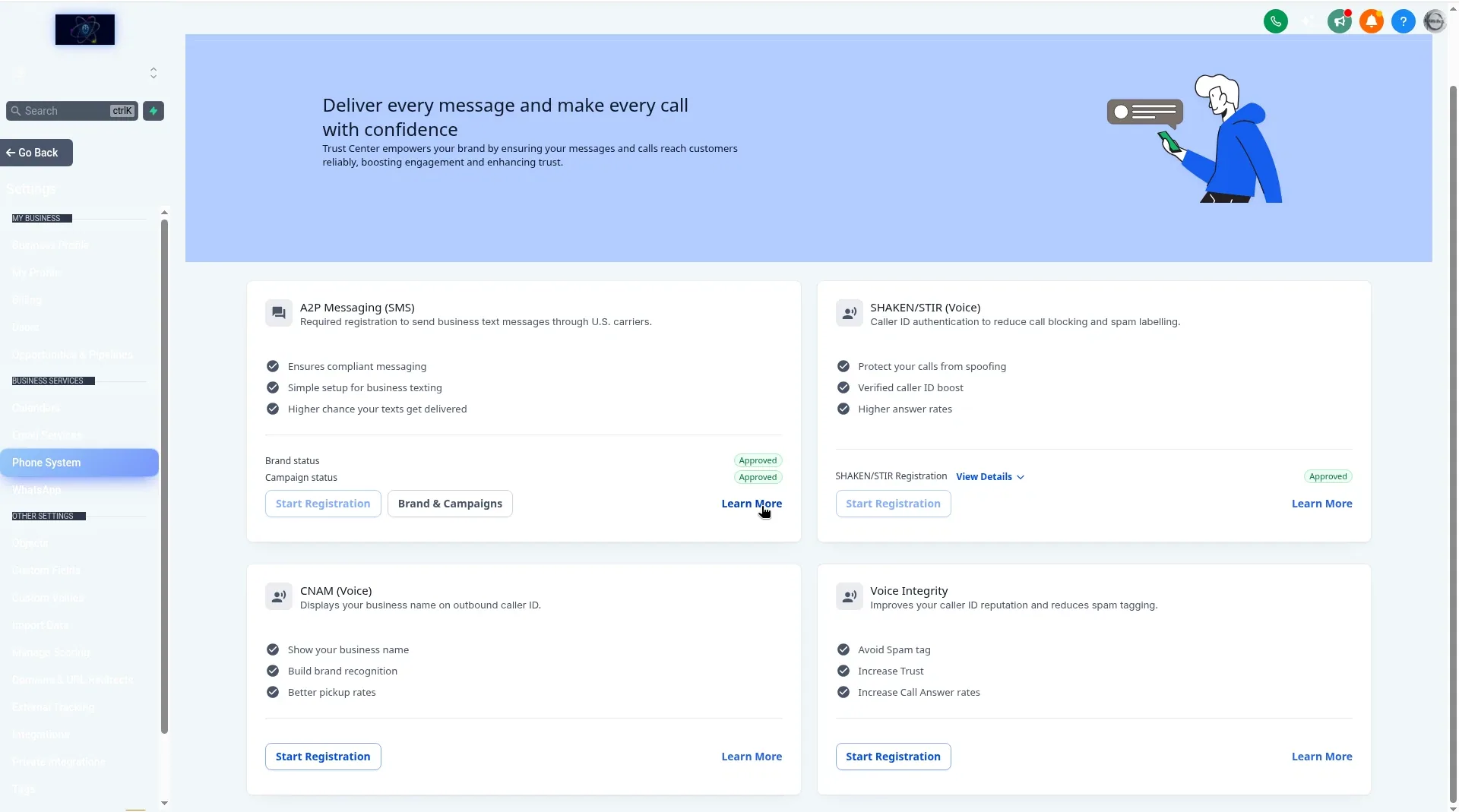
Four registrations keep calls and texts trusted: A2P texting, SHAKEN/STIR, CNAM caller name and Voice Integrity.
Brand registration
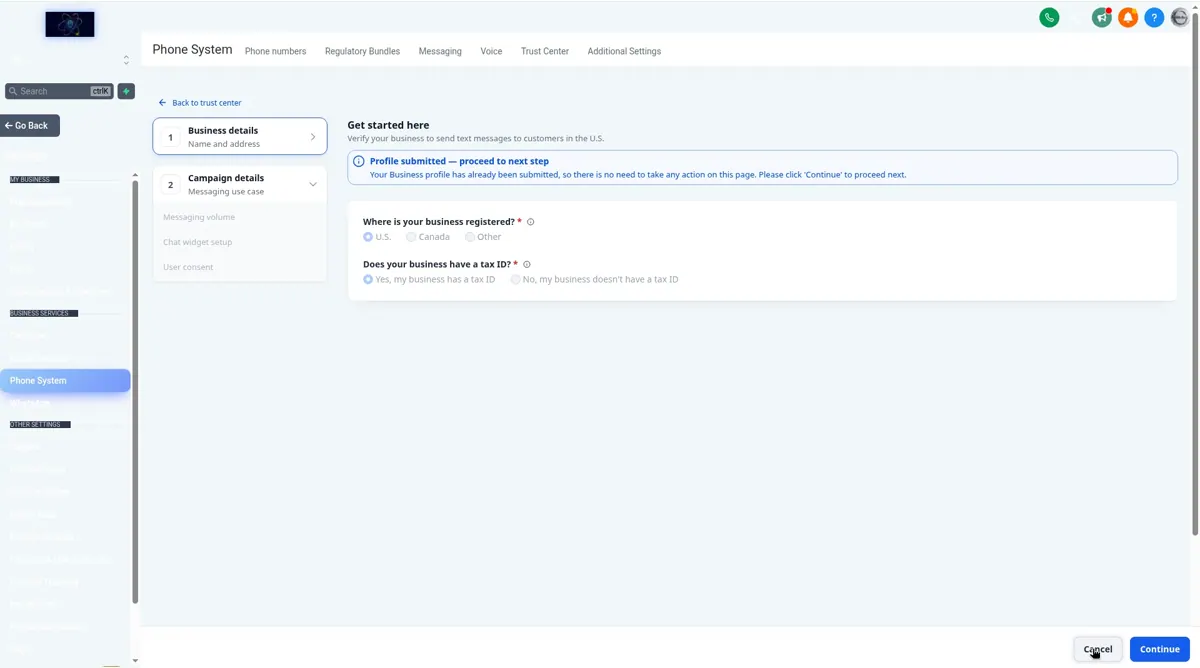
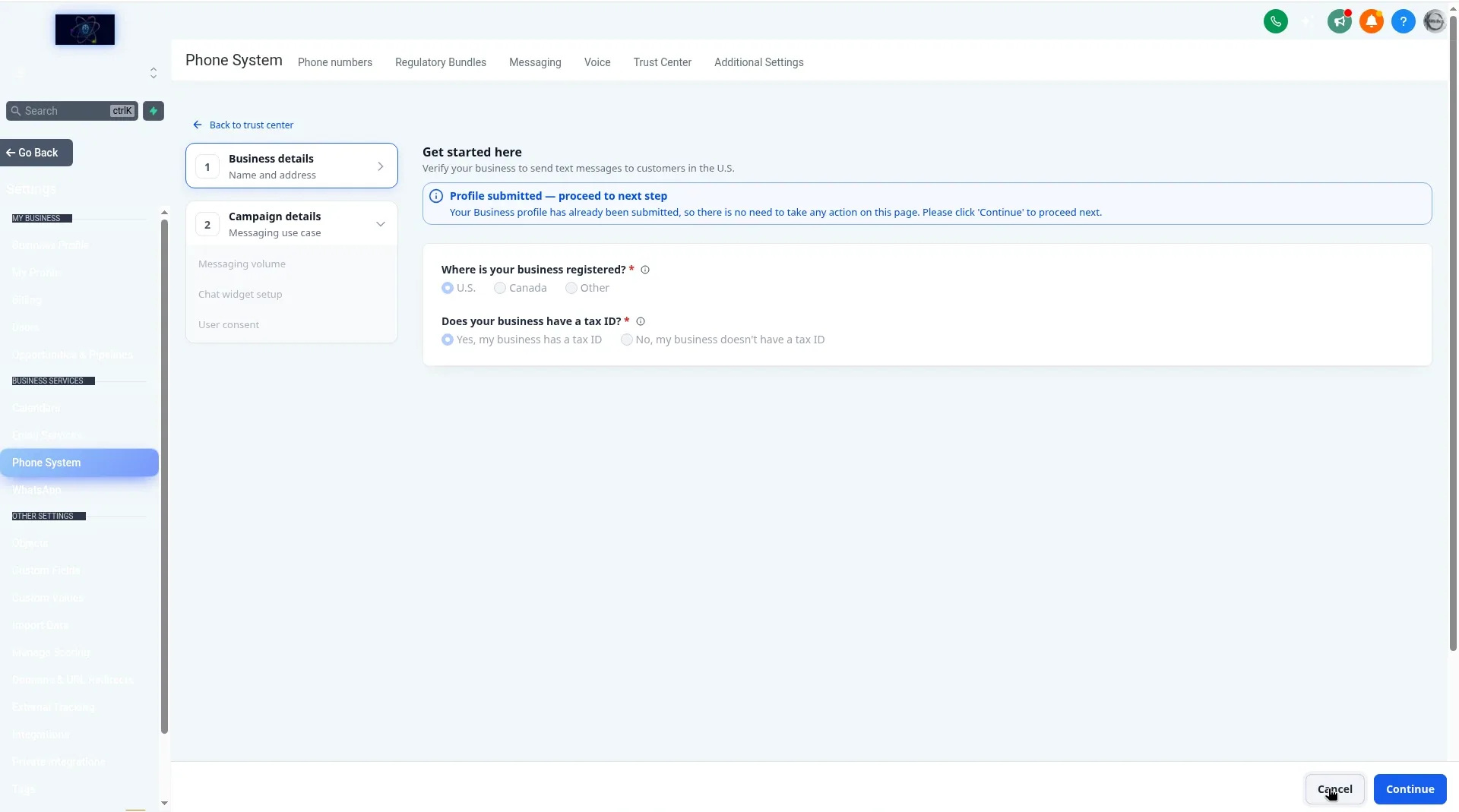
Step 1 of brand registration: confirm you're a U.S. business with a tax ID.
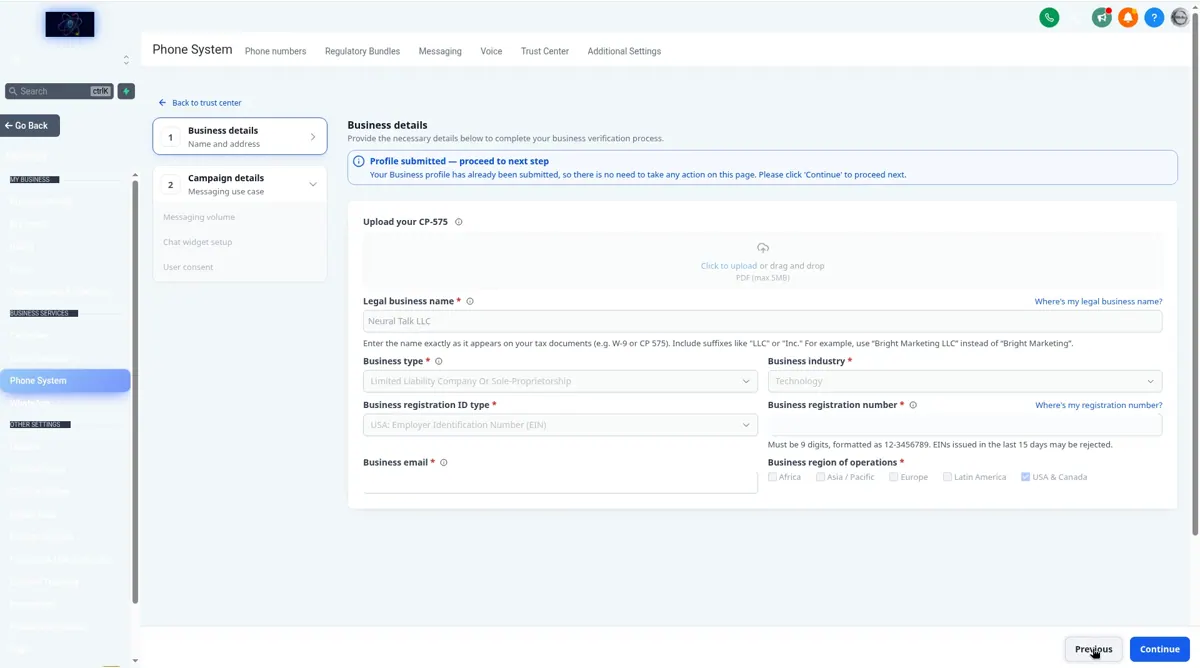
Business details: legal name, business type, industry, EIN and business email (EIN and email redacted).
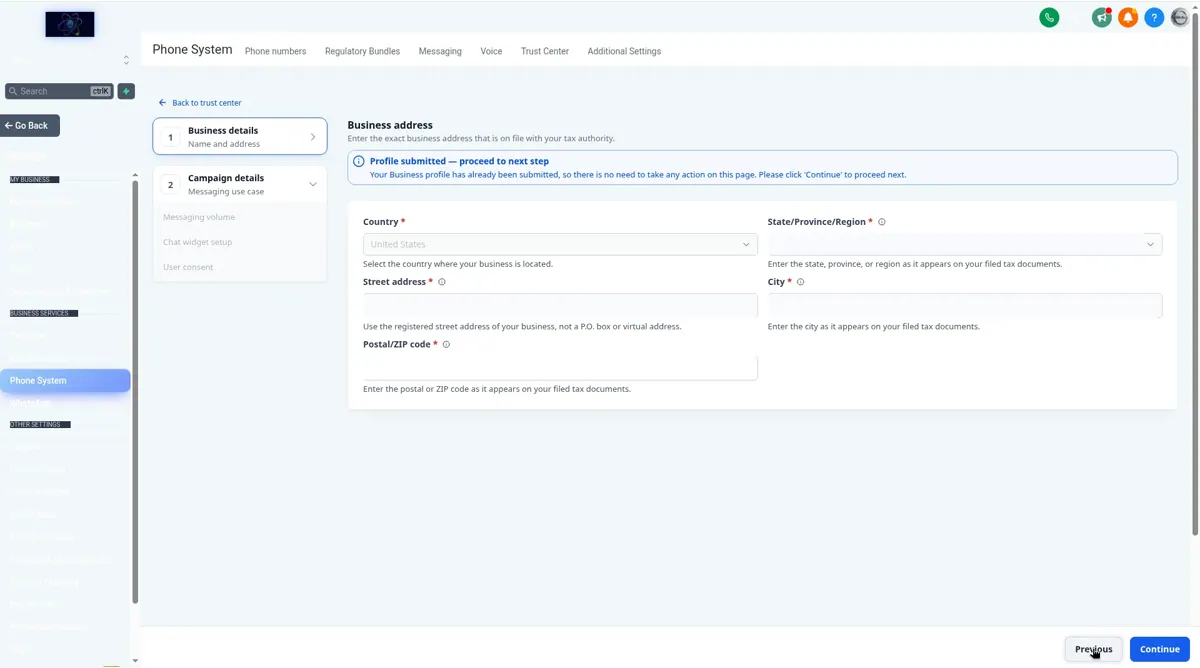
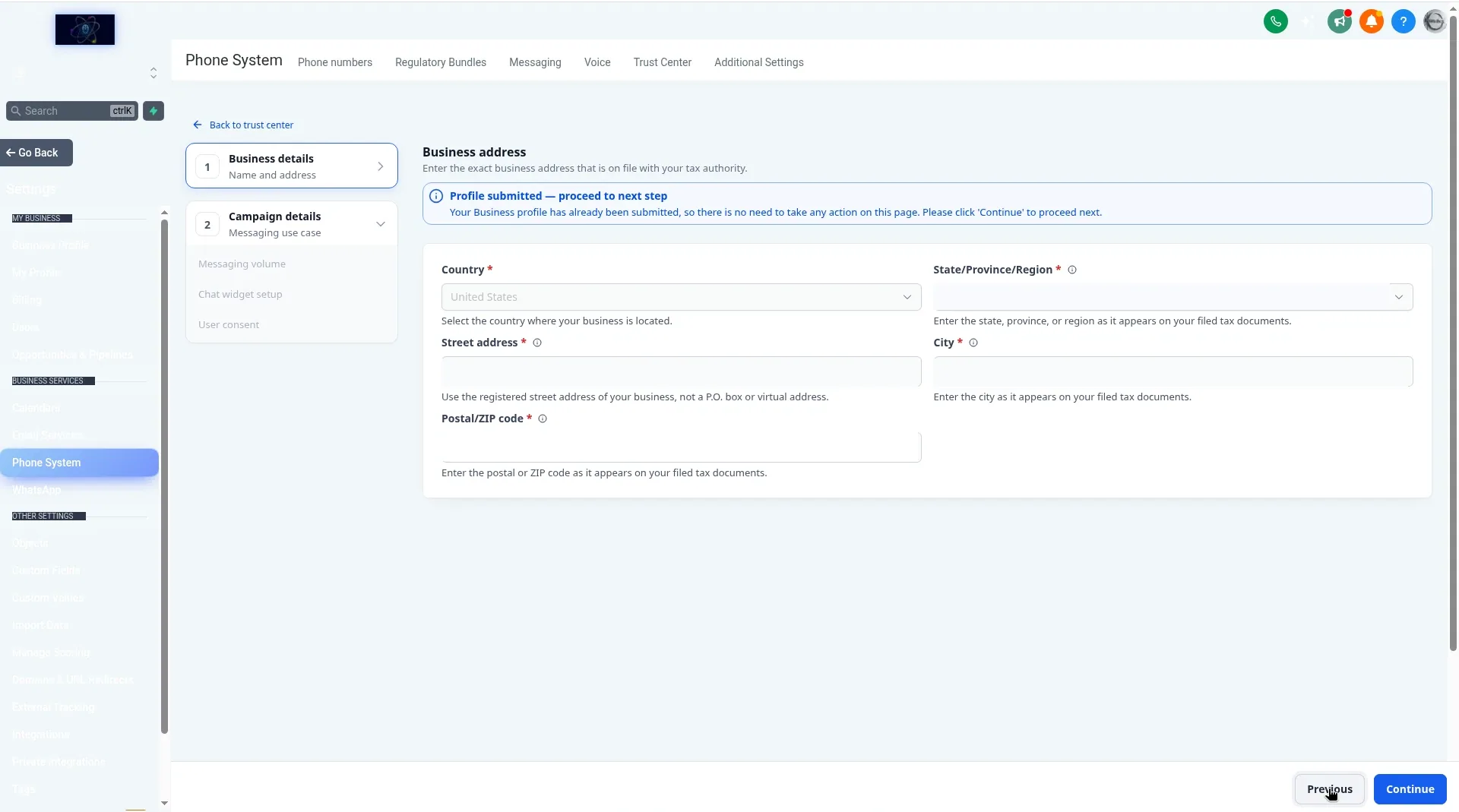
Business address, exactly as it appears on your tax documents (address redacted).
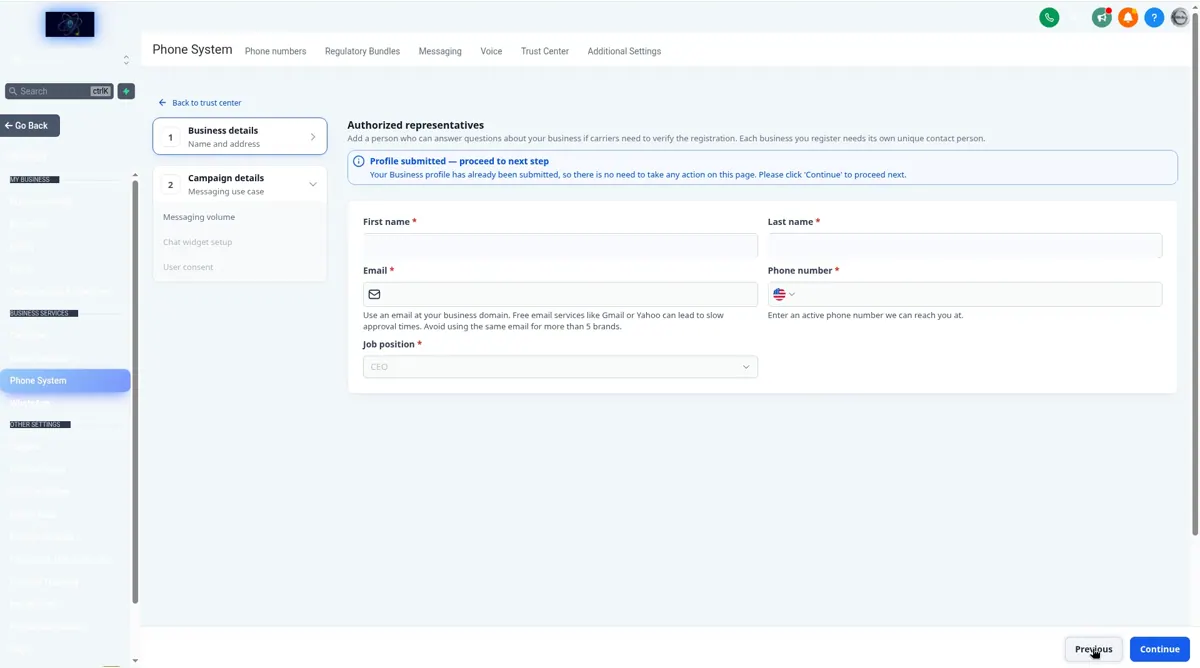
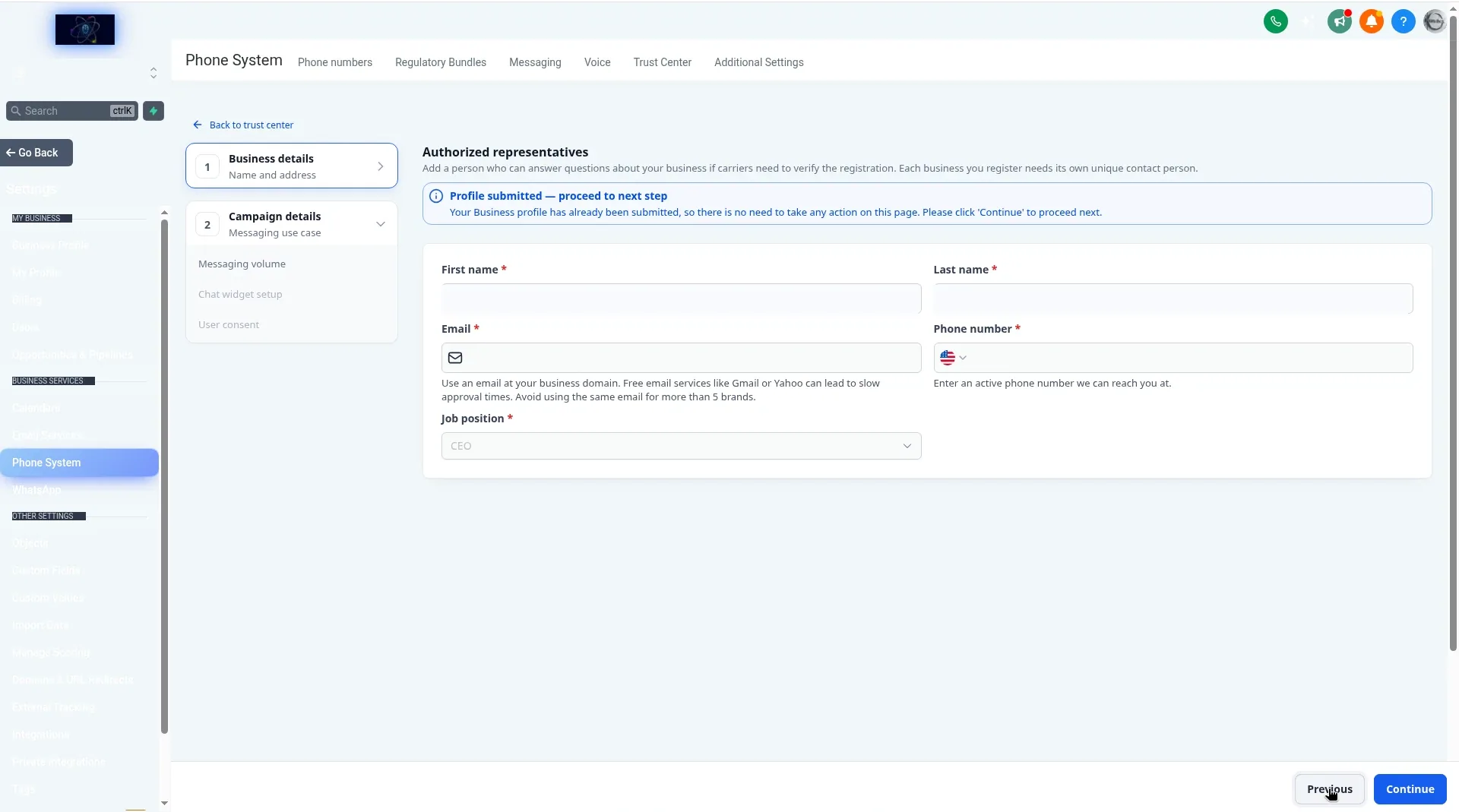
Authorized representative carriers can contact to verify your business (name, email and phone redacted).
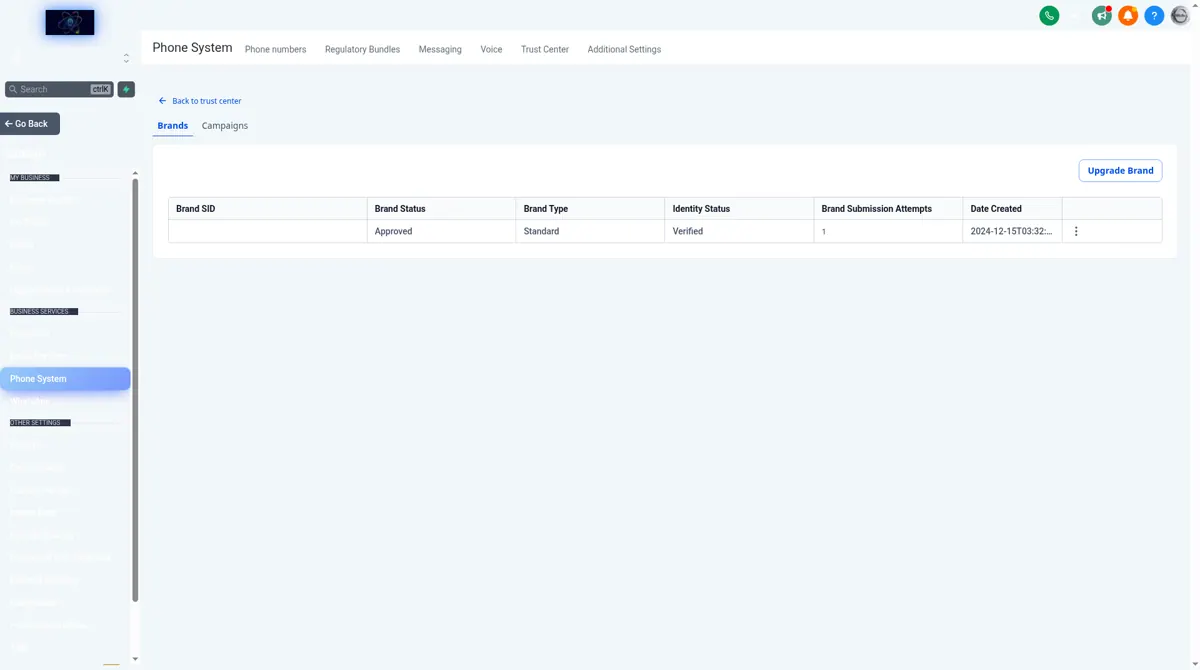
Brand registration approved and identity verified (IDs redacted).
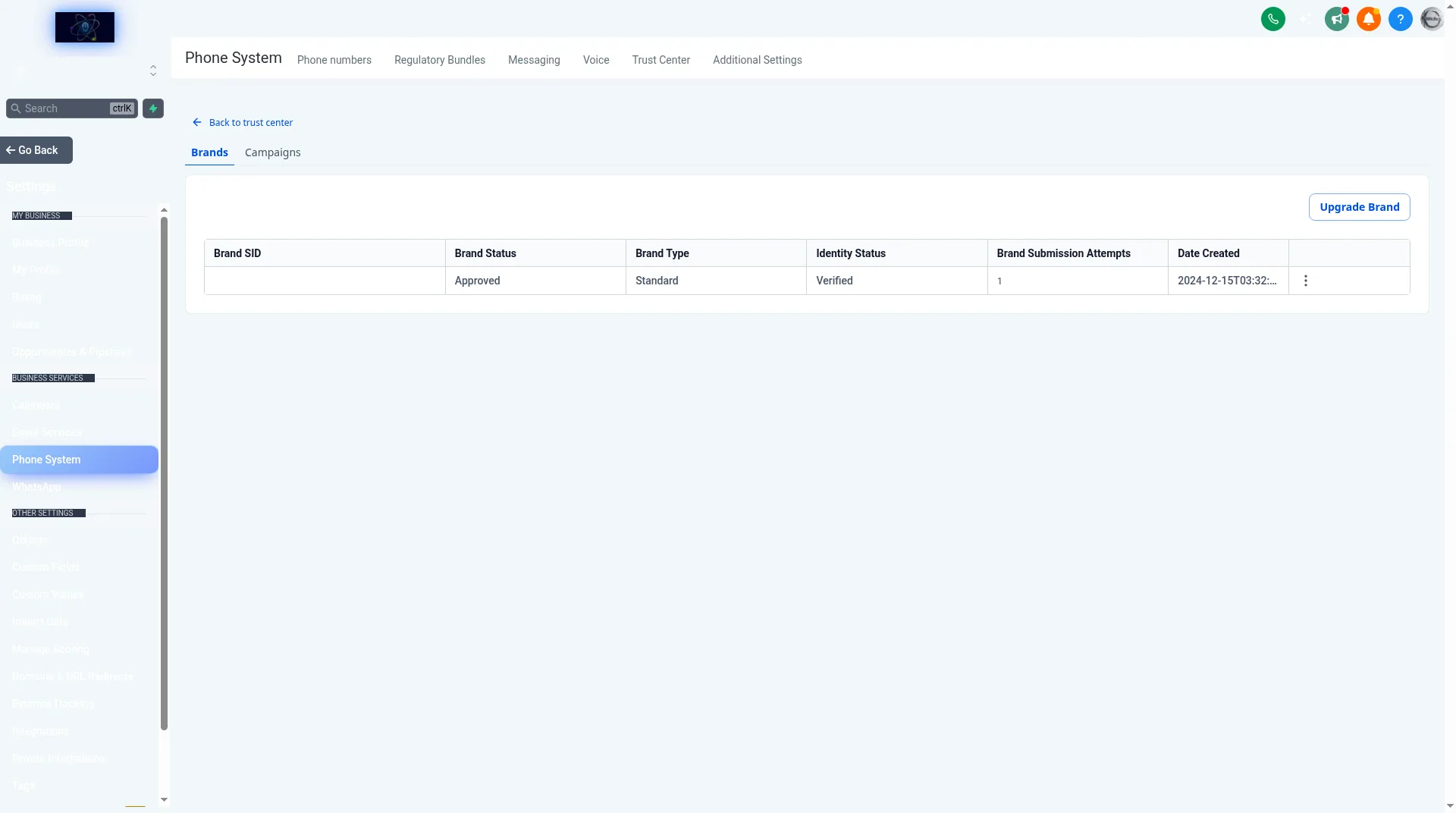
Campaign
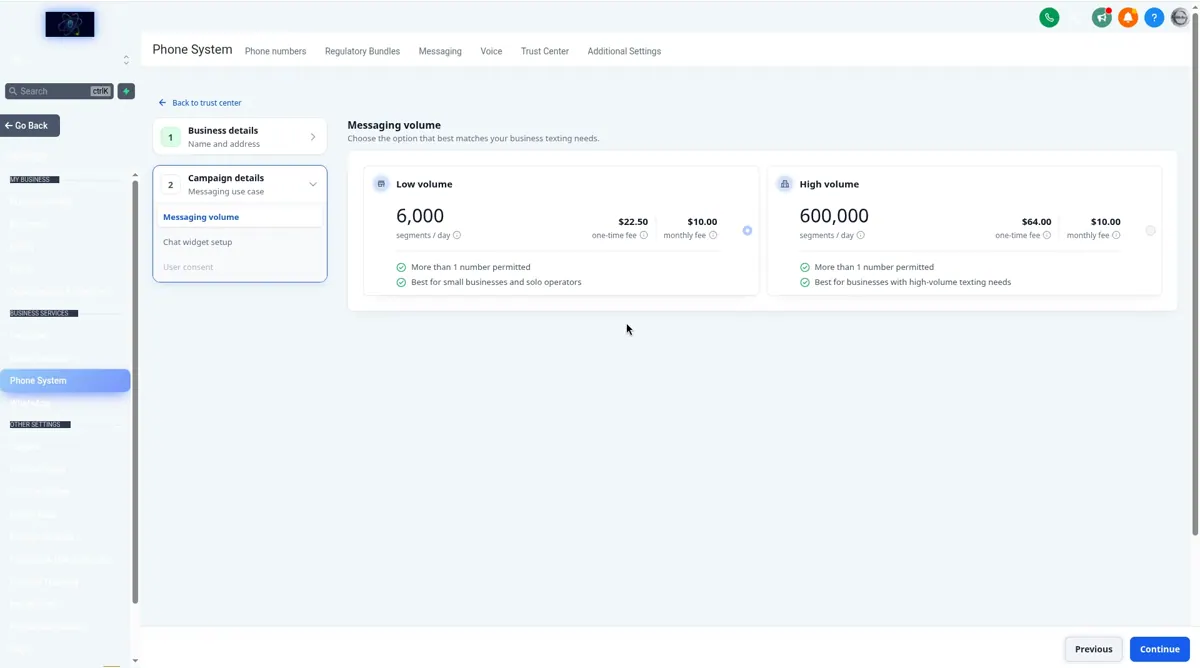
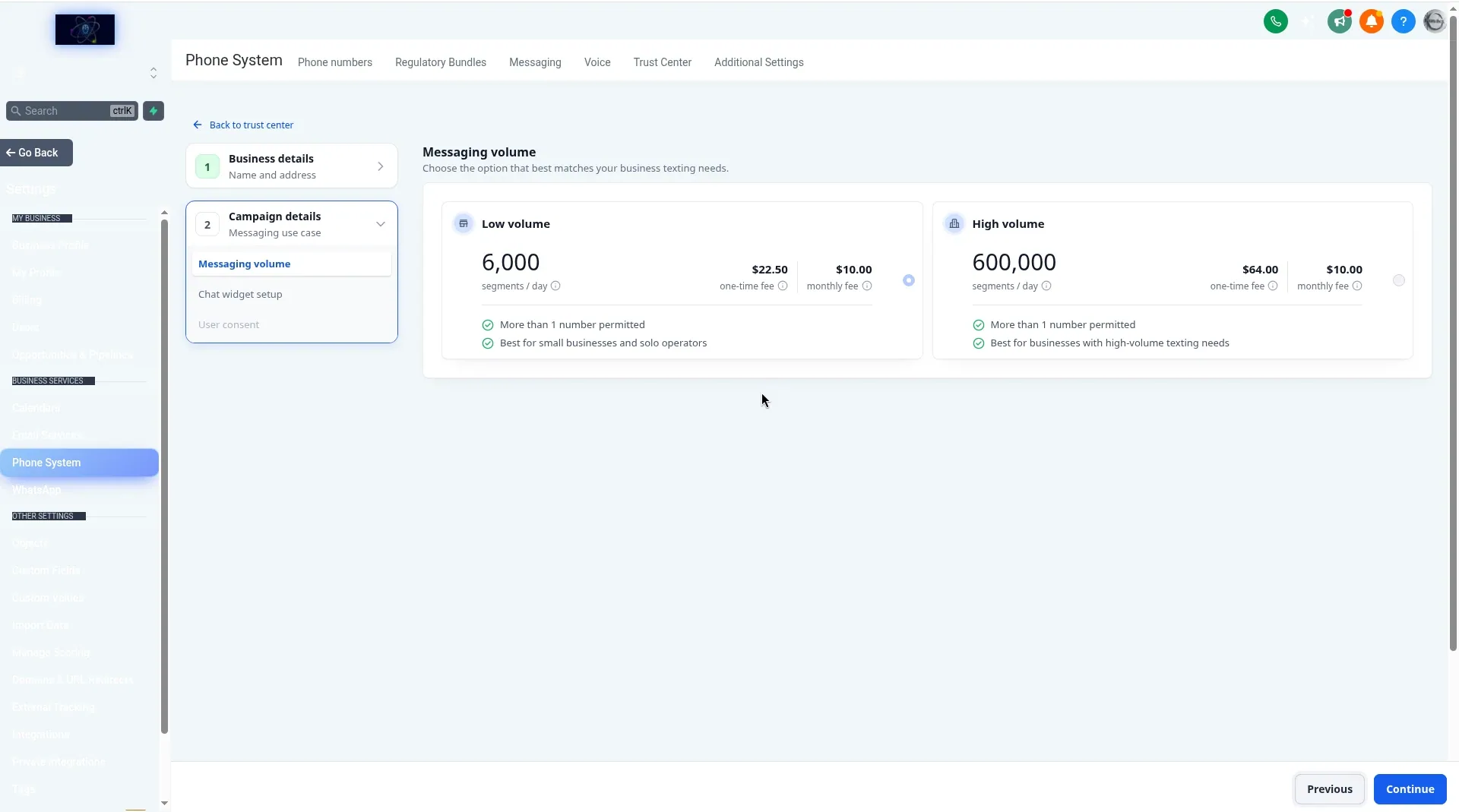
Campaign setup: choose your texting volume, low or high.
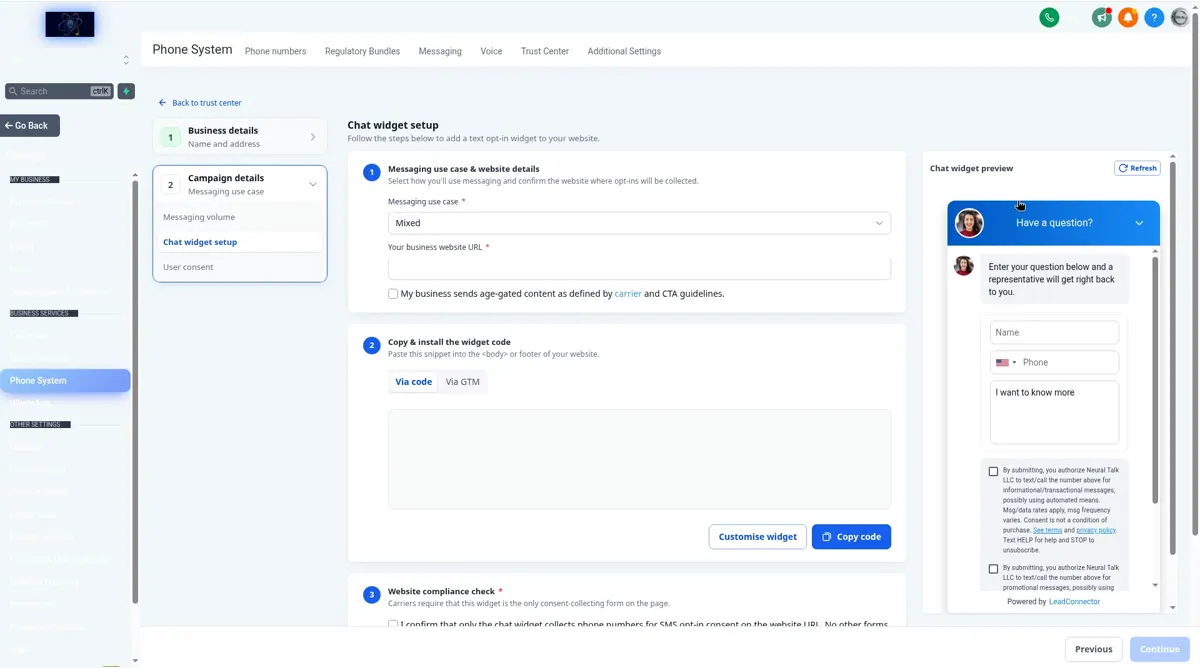
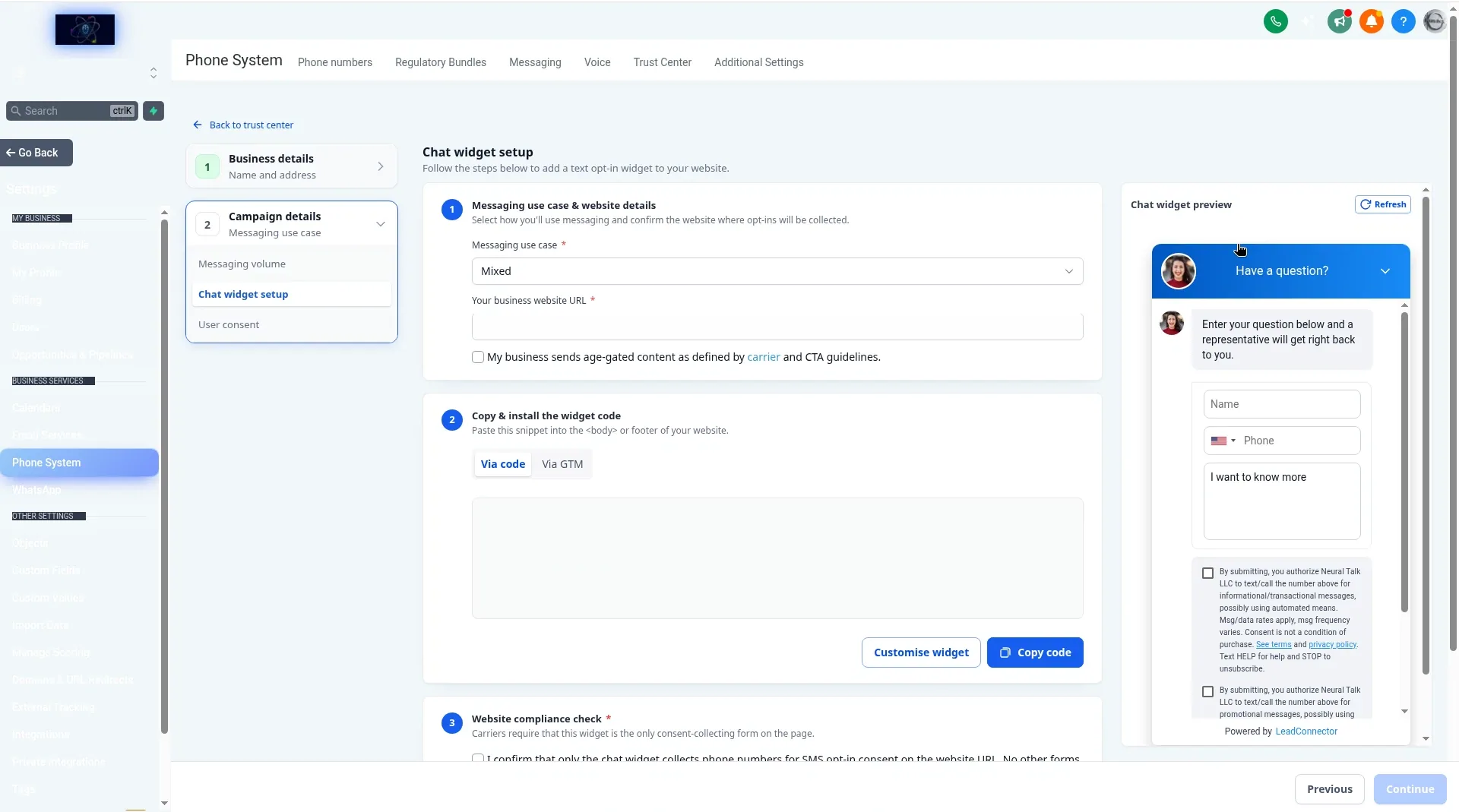
Opt-in setup: your use case, website and the chat widget that collects SMS consent (URL and widget code redacted).
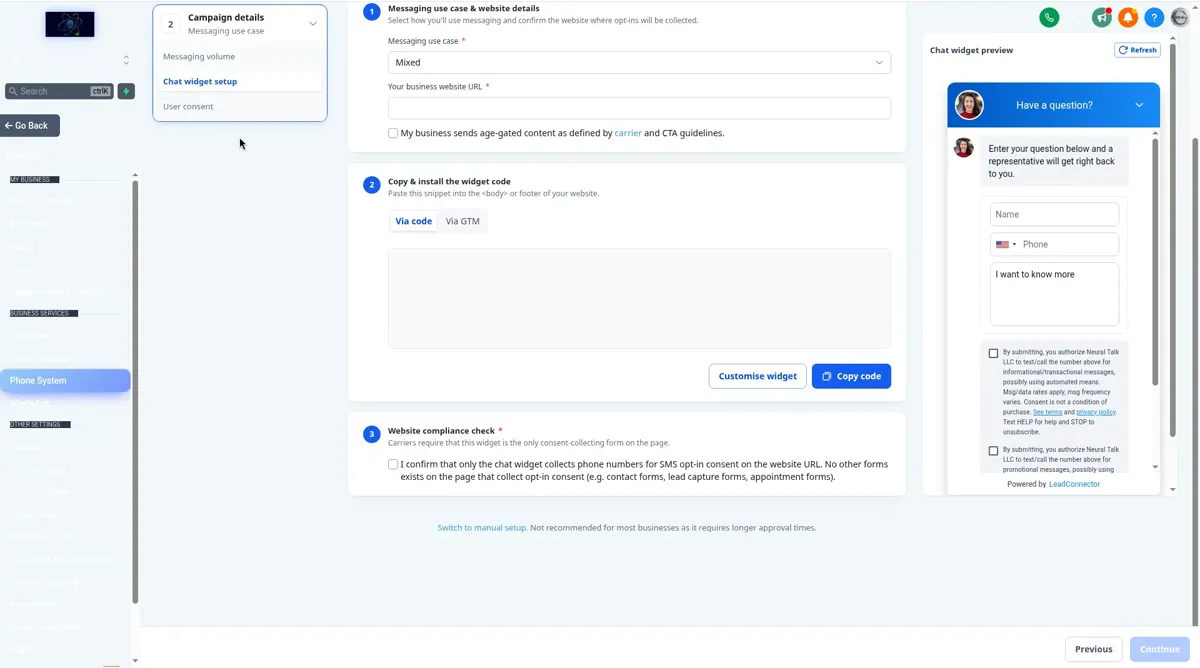
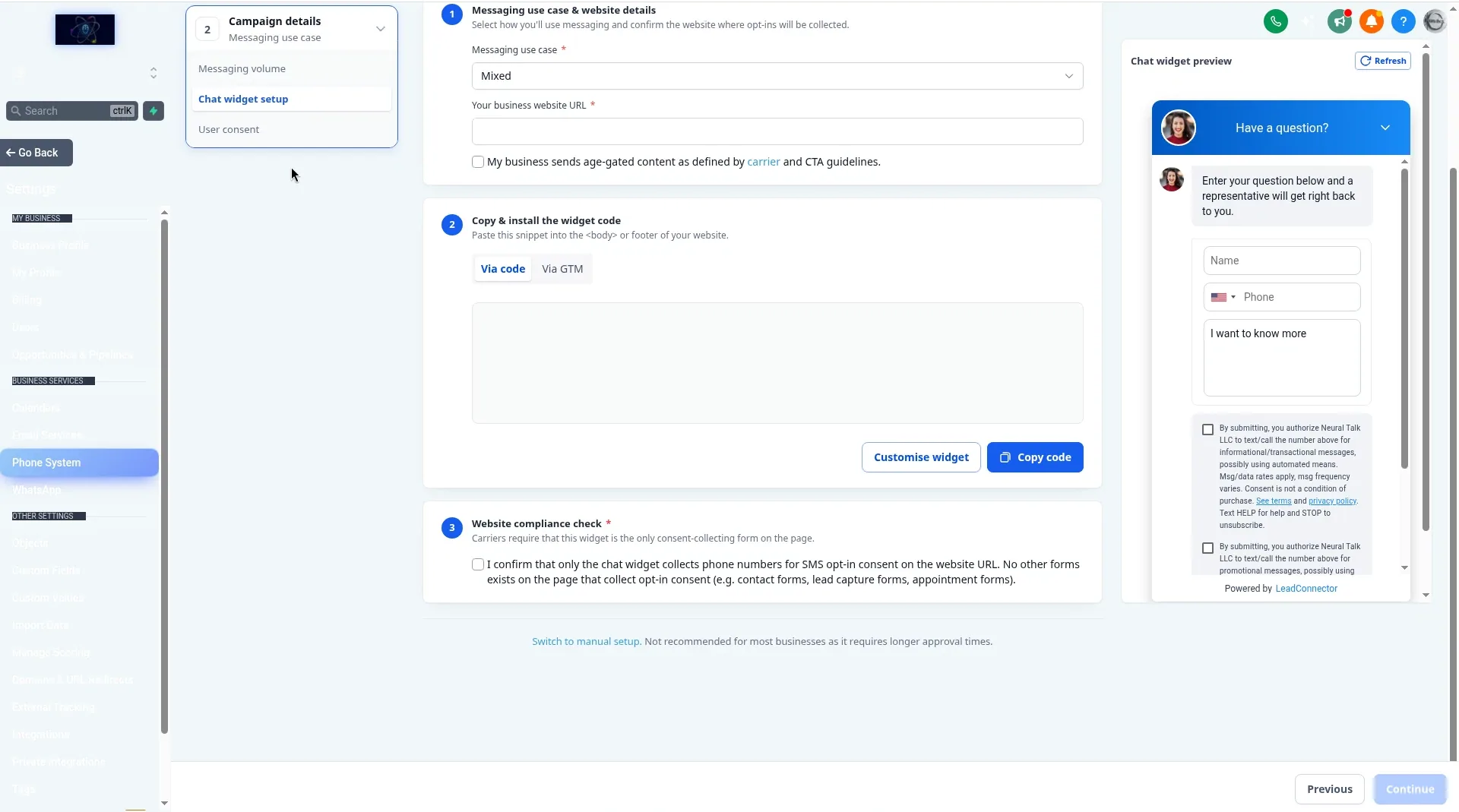
Website compliance check confirming the widget is the only opt-in form on your site.
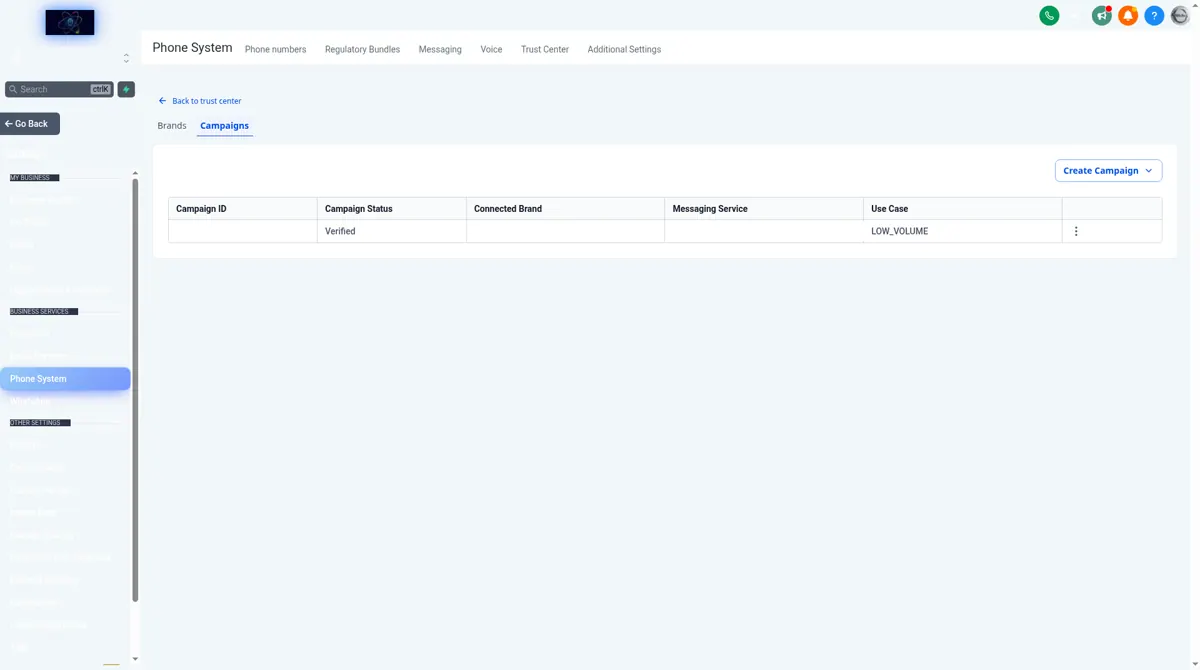
Texting campaign verified and ready to send (IDs redacted).
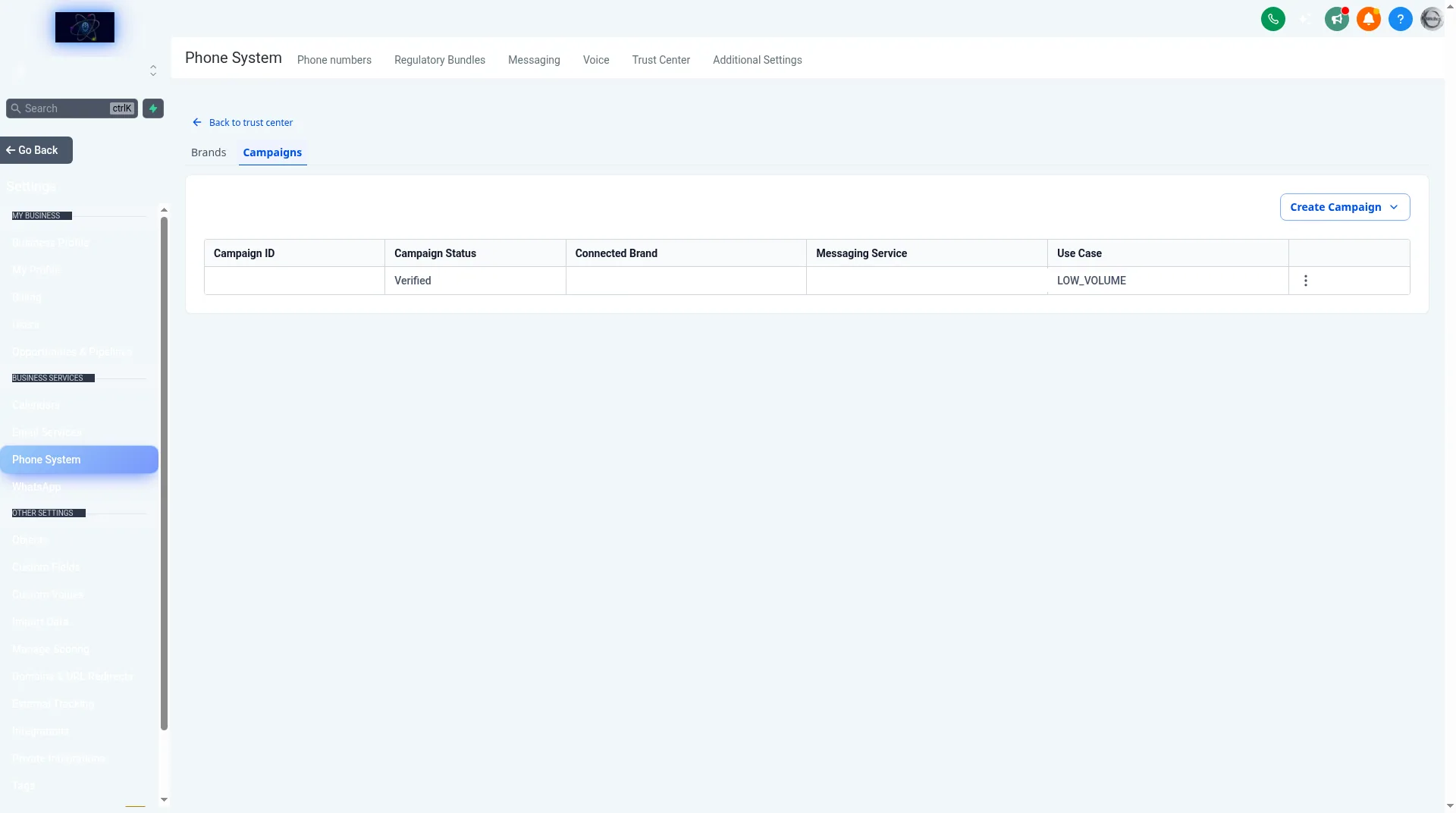
Caller ID & call verification
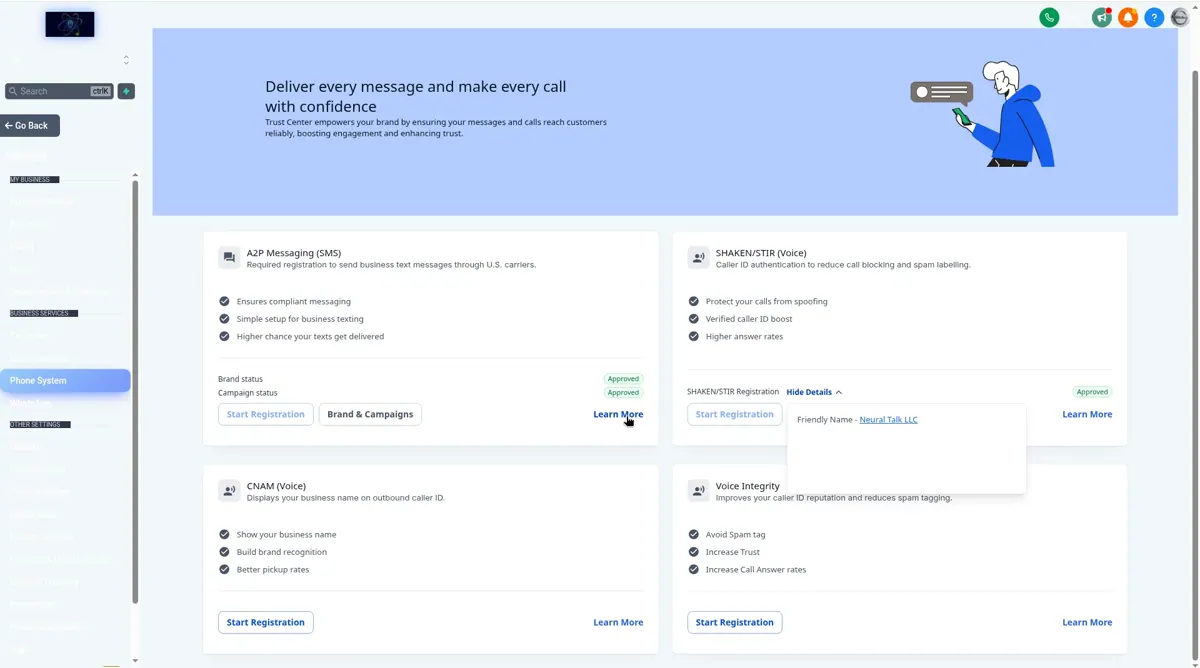
SHAKEN/STIR approved, so your calls show as verified instead of spam (IDs redacted).
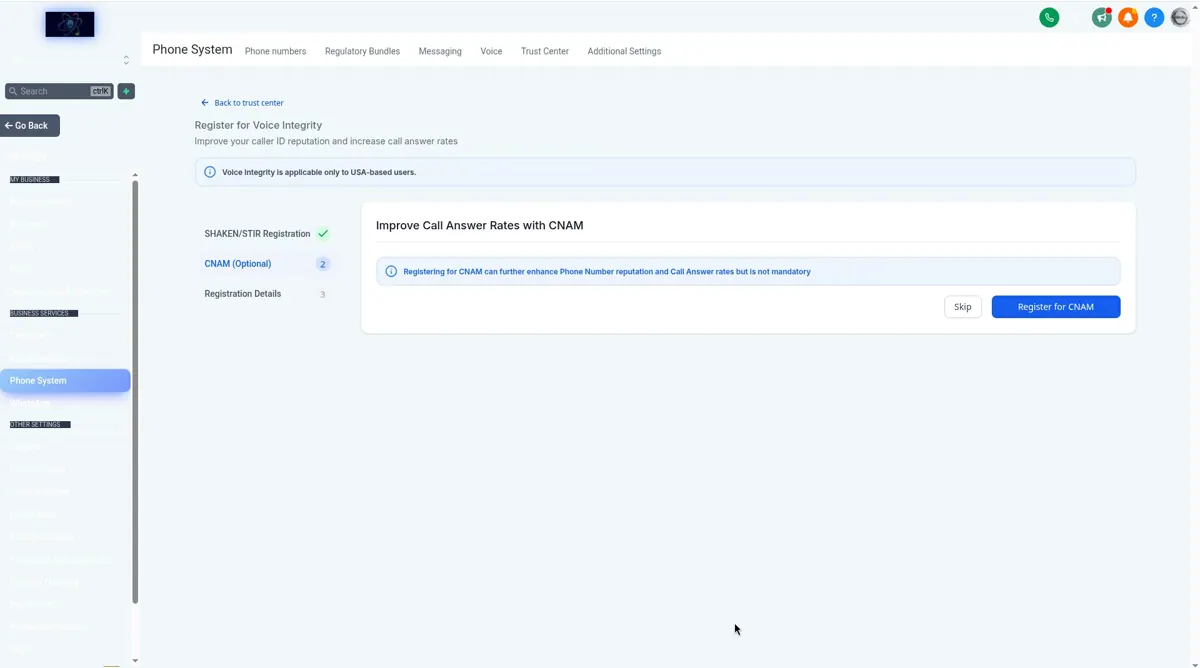
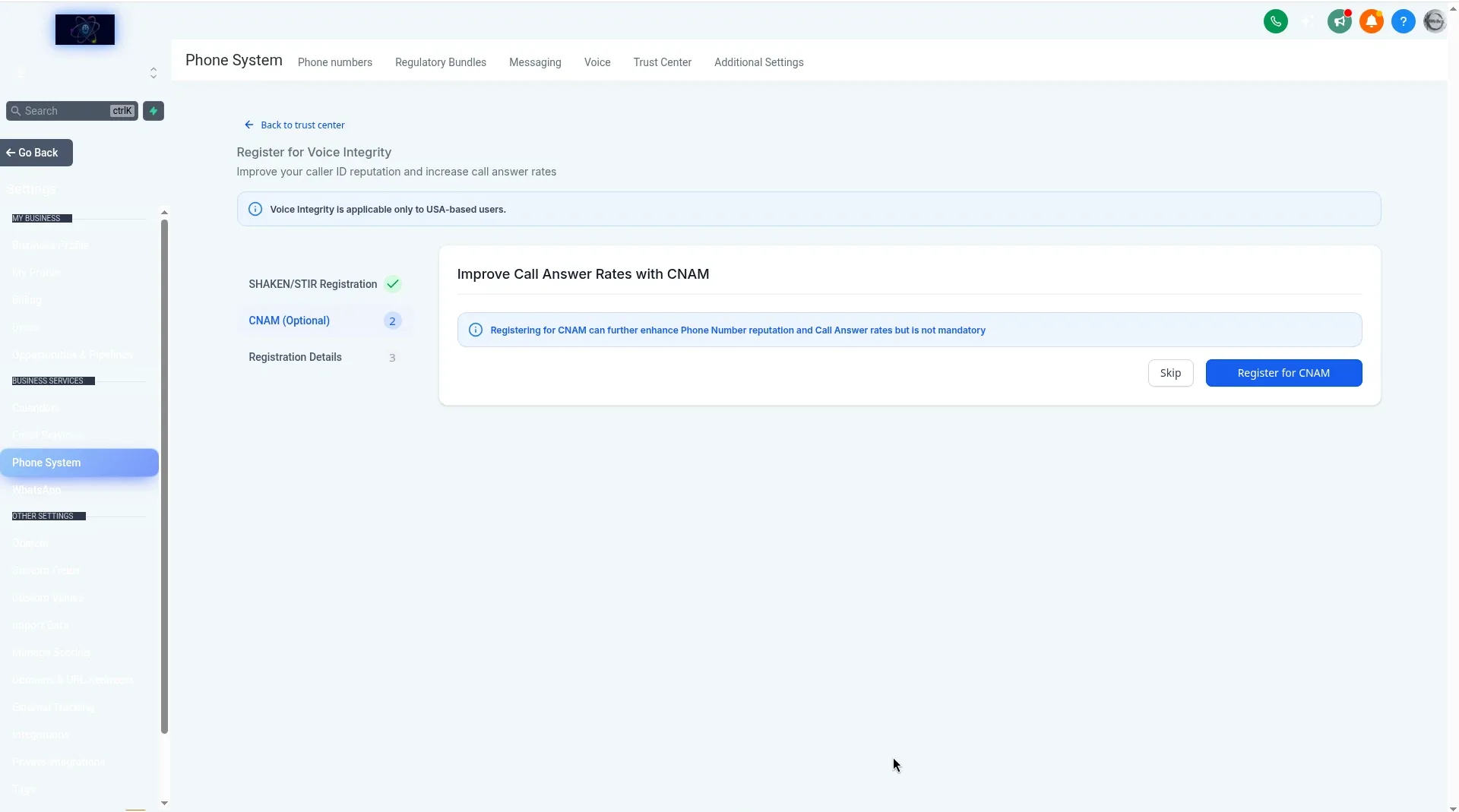
Voice Integrity setup, which helps keep your number from being flagged as spam.
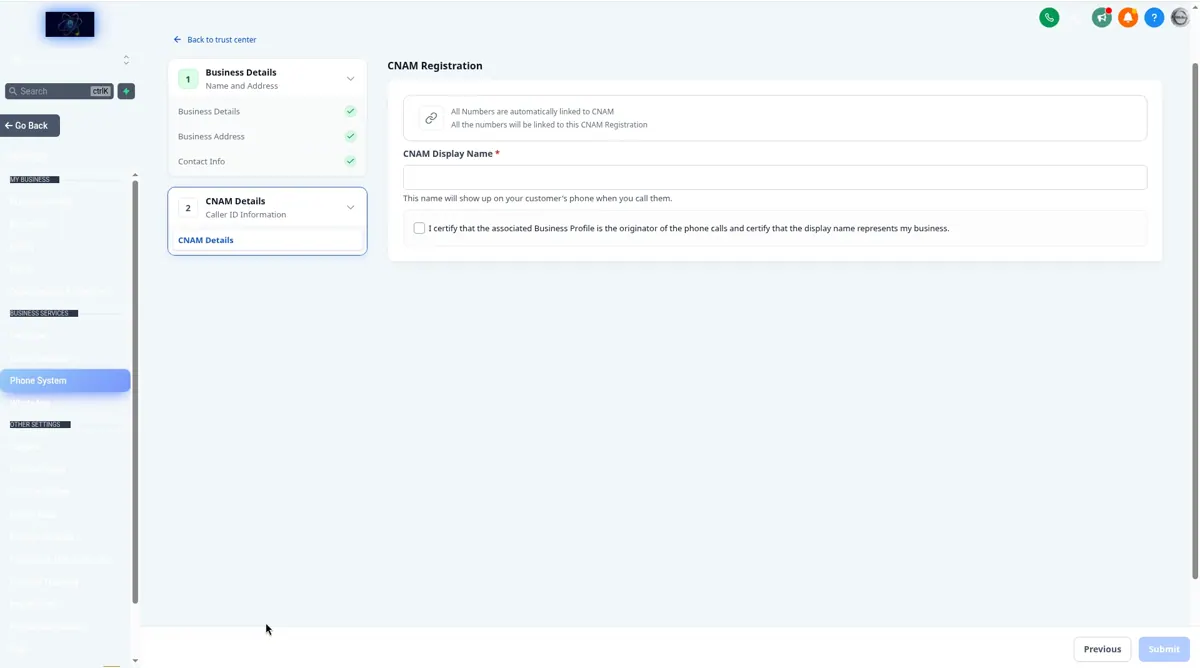
CNAM registration: the business name customers see when you call (display name blanked).
Pricing
Never Miss a Call comes standard with all CRM plans. Website clients can add it for $10/month, or $100 paid upfront for 12 months.
Let's talk
Questions? Book a free call at neuraltalk.co or call (458) 255-5503.
Book A Call
Anticipate a relaxed, insightful conversation—never a high-pressure sales pitch. We understand the challenges of running a business because we work across multiple industries, and our goal is to give you a clear, honest perspective on how Neural Talk can help power your growth.